Universal Credit (Housing Element)
In April 2026 tenants who claim Universal Credit will be sent a 'Confirm your housing costs' to-do.
You must complete this to-do to report your annual rent changes.
Step by Step Guide
Your Online Journal will add a to-do task called 'Confirm your housing costs' to your account on 6 April 2026.
You must complete the to-do by the end of your current assessment period, to ensure that you get the correct housing payment in 2026. You should do this on or after 6 April 2026 but not before this date.
Please don’t report this change using the “Where you live and what it costs page”.
On or after 6 April 2026, you should follow these steps in response to the to-do.
You should see the following screens and should be completed with the relevant information from the first page of your Notice of Increase to Rent Letter.
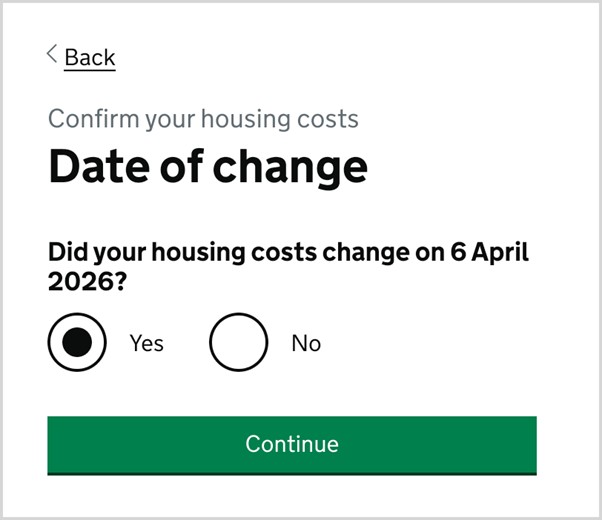
1. Date of change
- Choose Yes
- Continue
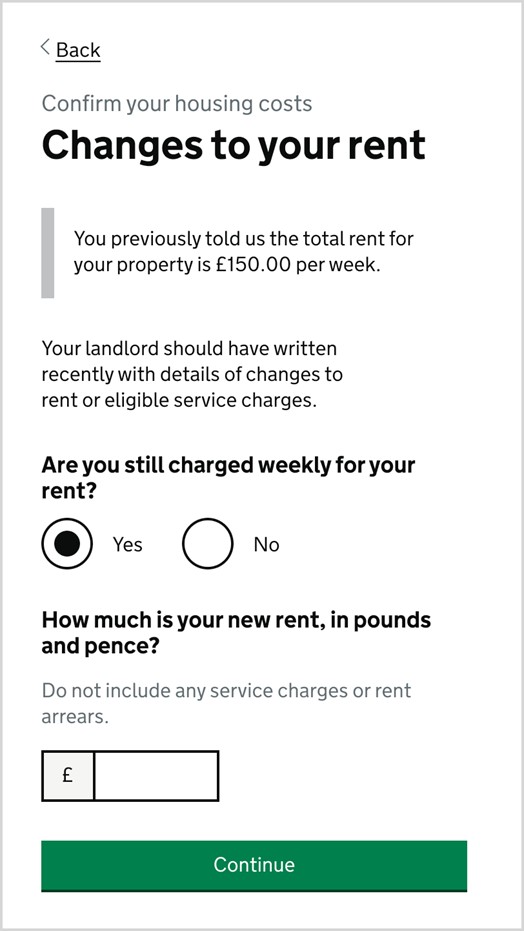
2. Changes to your rent
- Choose Yes (rent is charged weekly)
- Input the amount for “Basic Rent” from page 1 of your Notice of Increase to Rent Letter.
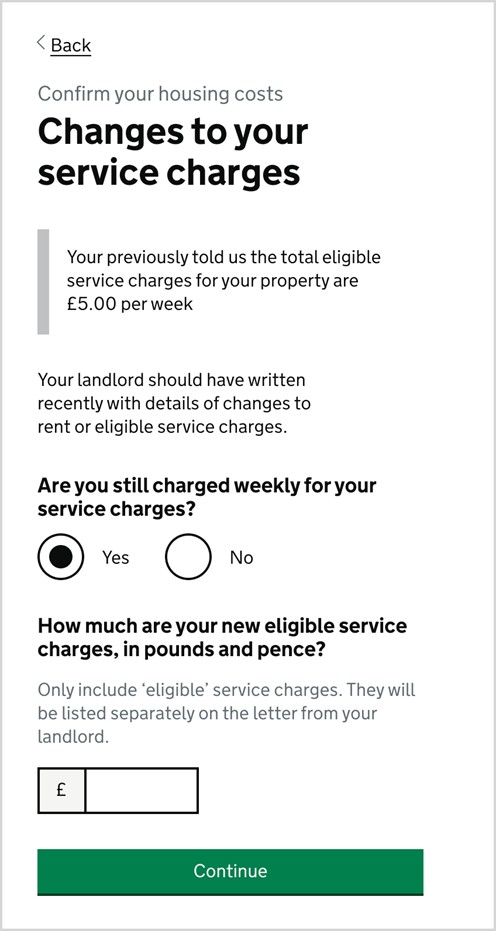
3. Changes to your Service Charges
- If you pay any eligible service charges, for example, a furniture service charge, choose “Yes”
- Input the amounts of any service charges shown in “Total of charges Housing Benefit / Universal Credit will cover” on Page 1 of your second letter, Council Rent and Service Charges.